Hydra Command Center
Bring up, control and qualify eight PCIe 6.0 drive bays without installing a single host driver.
- Control and validation plane for the PCIe 6.0 HYDRA 8-bay JBOF
- Drives every bay out-of-band through the enclosure's built-in management MCU, ready from the first power-on
- Run it from a browser, a REST API or the
hydractlCLI - Available with any HYDRA unit at no extra cost
Requires MCU firmware v0.9.0 (SHA-256 included); units shipped with 0.0.8 must be updated first · Technical Briefs & User's Manual

Drive bays
EDSFF drive bays, each controlled independently.
Interfaces
Ways to drive it: Web UI, REST API and CLI.
Presets
Workload presets across PCIe 6.0, NVMe 2.x and CXL.
Host drivers
Host drivers required for out-of-band control.
See both sides of the link, then repeat the test
The enclosure reads each drive out-of-band. The Host Agent adds what the host that owns the PCIe links sees. Workloads turns the combined view into saved tests you can run again, compare and sign off.
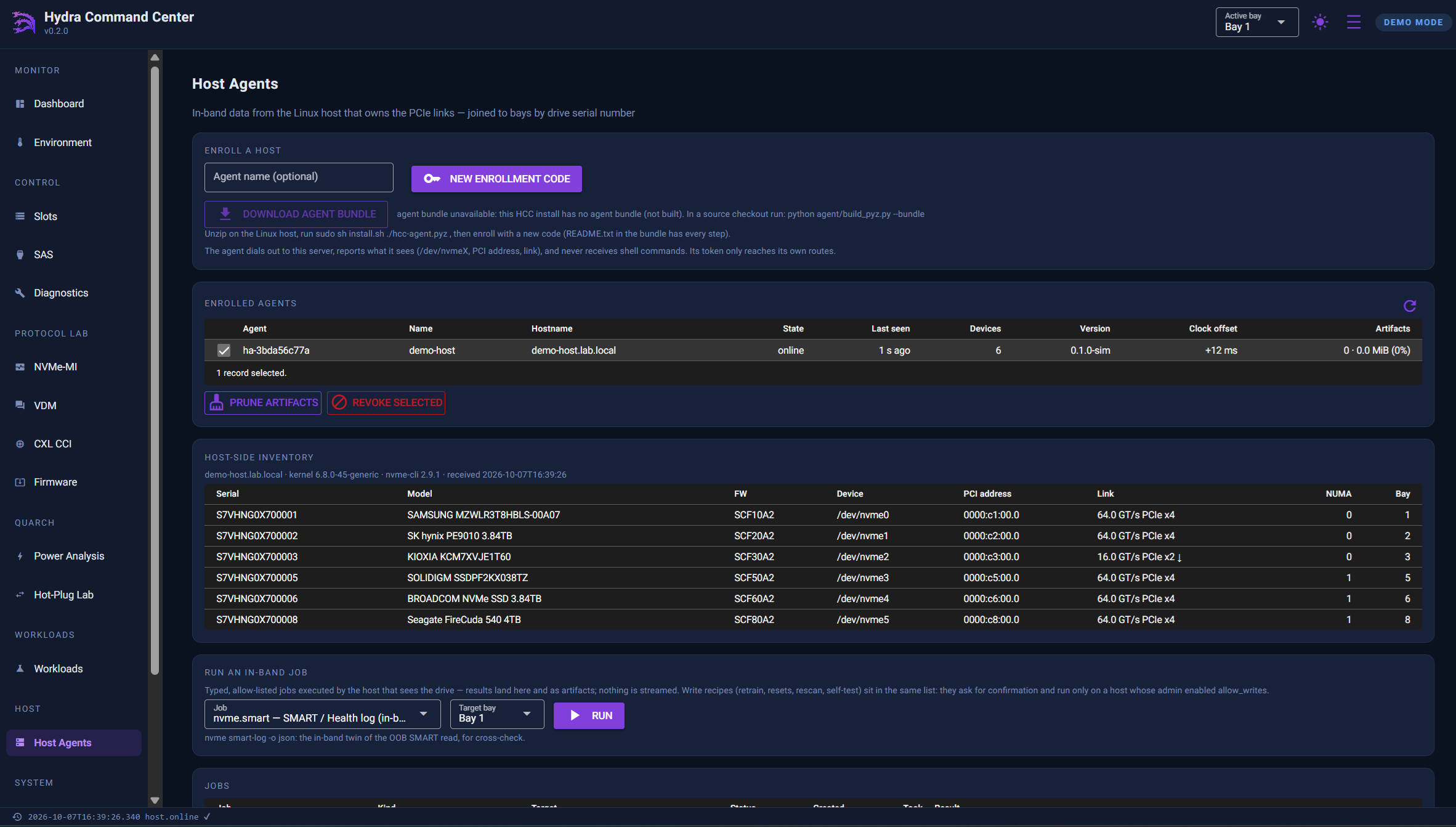
Host Agent: what the host sees, joined to each bay
A small agent on the Linux or Windows host dials out to Command Center and answers typed, allow-listed jobs. Each result is matched to the right bay by the drive's serial number, and Command Center never needs inbound access to the host.
- Host-side truth. It reports
/dev/nvmeX, the trained link, kernel AER counters (WHEA events on Windows), SMART and fio throughput. - Secure by design. The agent dials out and accepts no inbound connections. It runs typed jobs only and never opens a shell. Its token can't touch slot power, resets, I2C or firmware.
- Lightweight. A single file that needs only the Python standard library. Write recipes stay off unless you enable them.
- One-step setup. Add
--with-agentto the installer when the drives are cabled to the same machine.
Catch what the enclosure alone can't. Three agreement gates (host-identity, host-link and host-smart) compare the out-of-band report with the in-band one. A typical finding: the enclosure reports a drive as x4 Gen5, but the host trained it at x2.
Workloads: saved, repeatable tests that end in a verdict
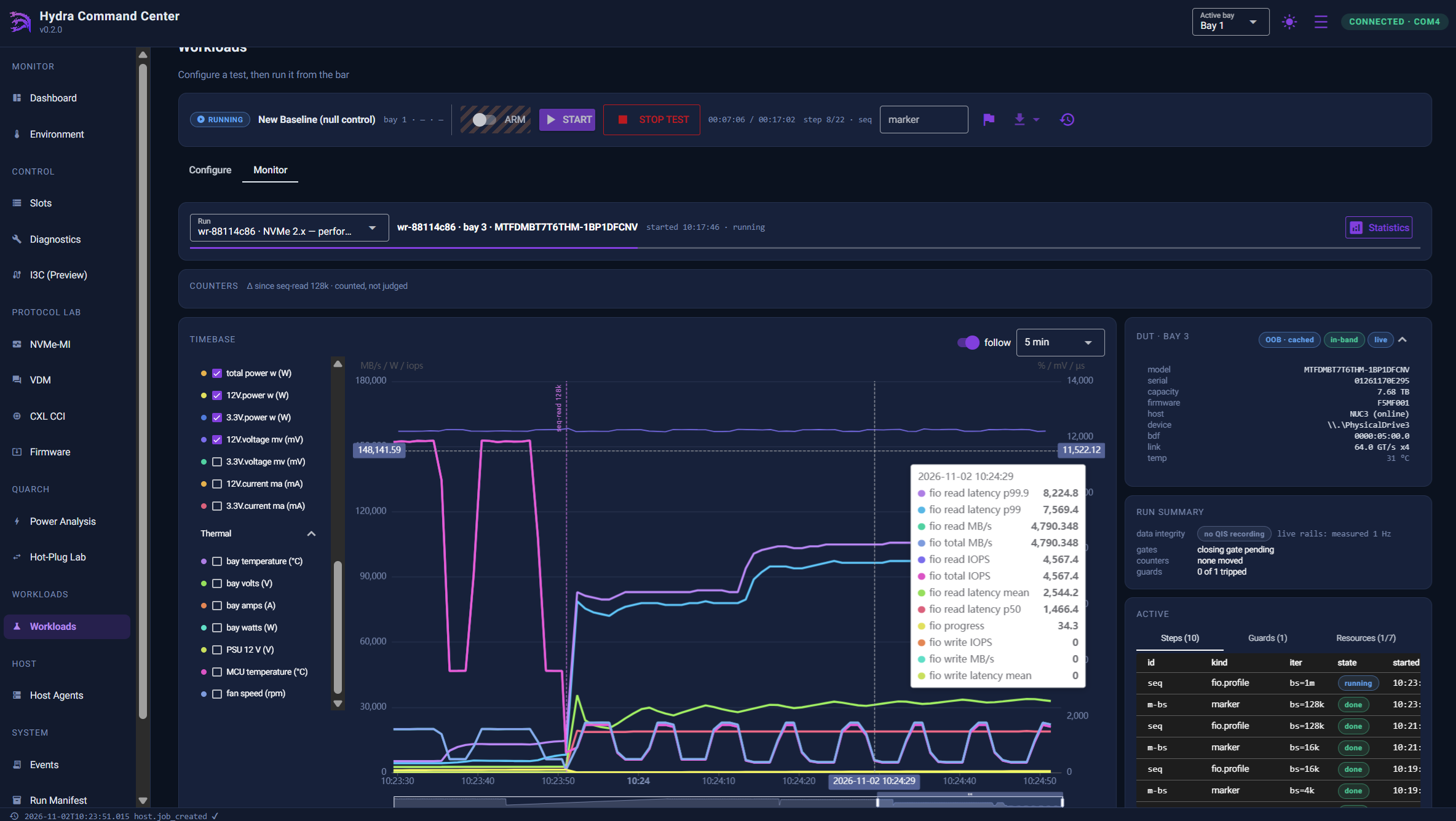
A workload records the whole test: the bay (and Quarch module), the steps and their order, the channels to watch, and the gates to read at the start and end. Every run ends passed, review, failed or incomplete, from the UI, the API or hydractl workload.
- Errors are counted, never auto-failed. A correctable AER that moved during the run gives a review verdict, with the delta shown.
- STOP TEST is never gated. It stops the run within a second and cleanly undoes everything the run started.
- Destructive steps need an ARM. Writes, bay power, resets and Quarch glitches unlock for one run only, after a confirm that lists every destructive step.
- Diffable exports. Each run exports as a JSON manifest, aligned CSV, NDJSON and a self-contained HTML report.
Statistics and a qualification report you can file
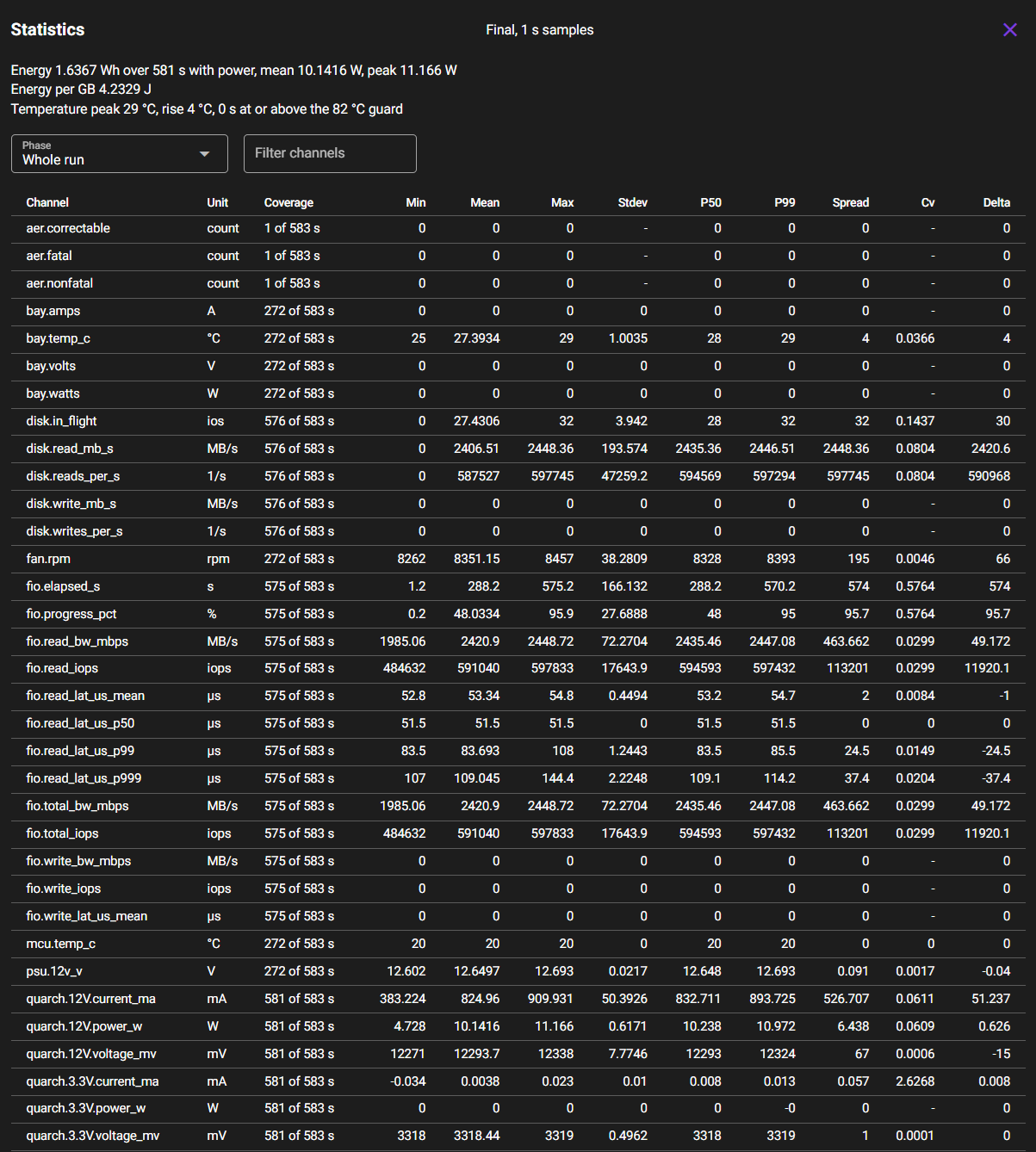
The Statistics panel summarizes every monitored channel per phase: coverage, min, mean, max, standard deviation, P50, P99, IOPS per watt and joules per GB. It goes well beyond a single headline throughput number.
The Qualification Report turns a finished run into one printable, self-contained HTML file with five sections: summary and findings, device and setup, results by phase (power vs. performance), health before and after, and evidence and sign-off.
$ hydractl workload stats wr-8f2a1c4d --phases
    $ hydractl workload qualify wr-8f2a1c4d \
        --document QR-0042 \
        --operator "A. Tester" -o report.html
Generate the report within about 25 hours of the run, while per-sample telemetry is still retained.
Start qualifying on day one
Sixteen presets ship with v1.0. Load one, point it at a bay and run it. Nine are proven end to end on hardware; the rest carry a BENCH marker, which is information for you, not a lock.
| Preset | Purpose | Status |
|---|---|---|
pcie-gen6-baseline | Link, power and thermal baseline before anything else runs | Proven |
pcie-gen6-link-integrity | Link retrain and error-counter sweep under load | Proven |
pcie-gen6-rail-margin-sweep | Quarch-driven rail margining across the PCIe power envelope | Proven |
pcie-gen6-downtrain-hunt | Repeated hot-plug cycles hunting for a downtrained link | Bench |
nvme2x-admin-conformance | NVMe 2.x admin-command conformance sweep | Proven |
nvme2x-perf-profile | fio block-size / queue-depth performance matrix | Proven |
nvme2x-reset-recovery | Controller and link reset with recovery timing | Proven |
nvme2x-selftest-under-load | Device Self-Test launched concurrently with I/O | Proven |
nvme2x-write-endurance | Sustained write pass with SMART before/after delta | Proven |
cxl-t3-health-watch | CXL Type-3 mailbox health polled across the run | Proven |
cxl-t3-event-sweep | CXL event-log drain and classification | Bench |
cxl-t3-inband-inventory | CXL device inventory cross-checked host-side via the Host Agent | Bench |
cxl-t3-power-thermal | CXL device power and thermal watch under sustained I/O | Bench |
hotplug-endurance | Bay power-cycle endurance loop | Bench |
thermal-soak | Fan-commanded thermal stress with an abort ceiling | Bench |
quarch-power-margin | Quarch rail margining and glitch injection | Bench |
Click it once, then script it forever
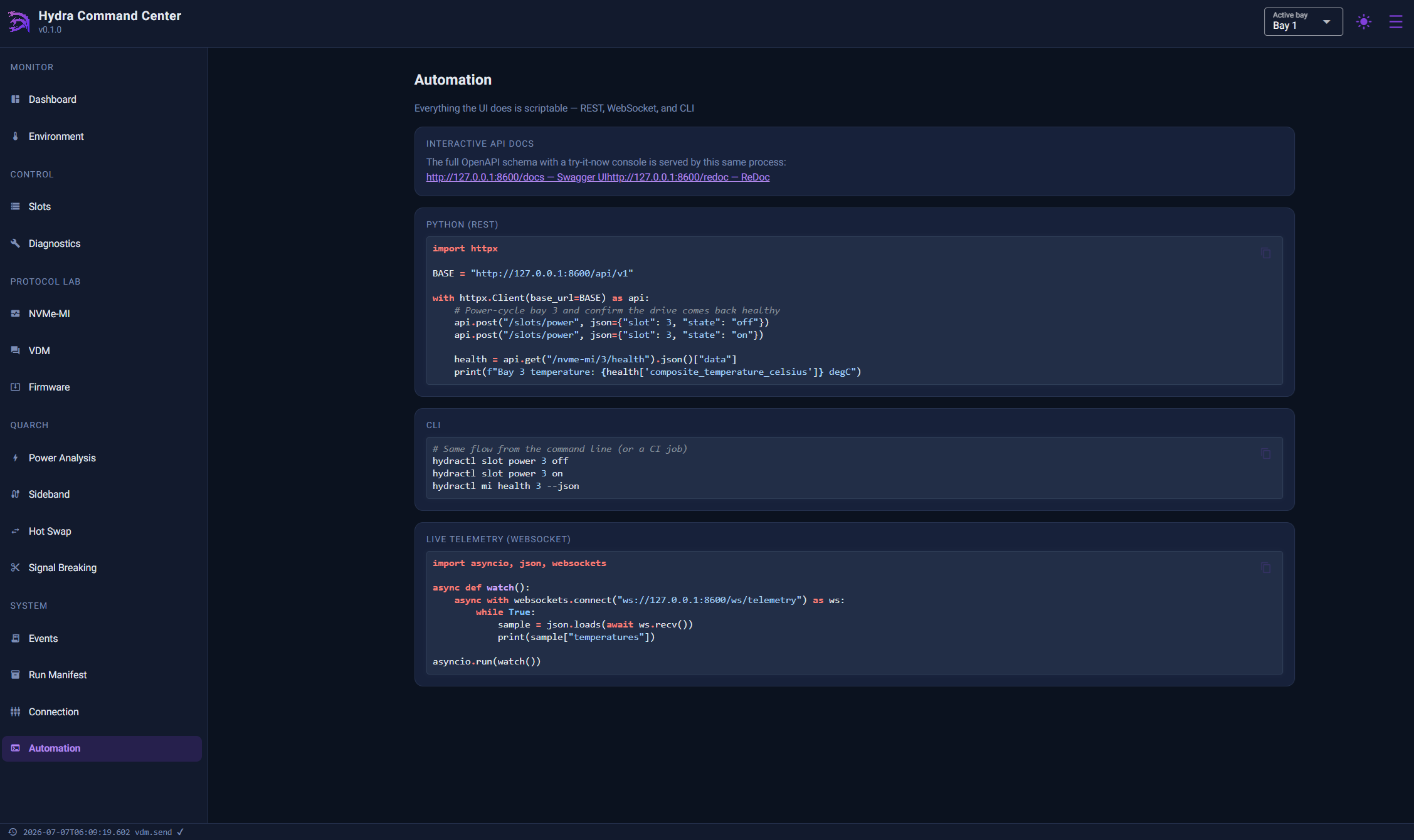
The Web UI, REST API and hydractl CLI all connect to the same server process, and nothing is UI-only. The server owns the enclosure's single USB-C serial link and arbitrates it, so all three can run at the same time.
Web UI
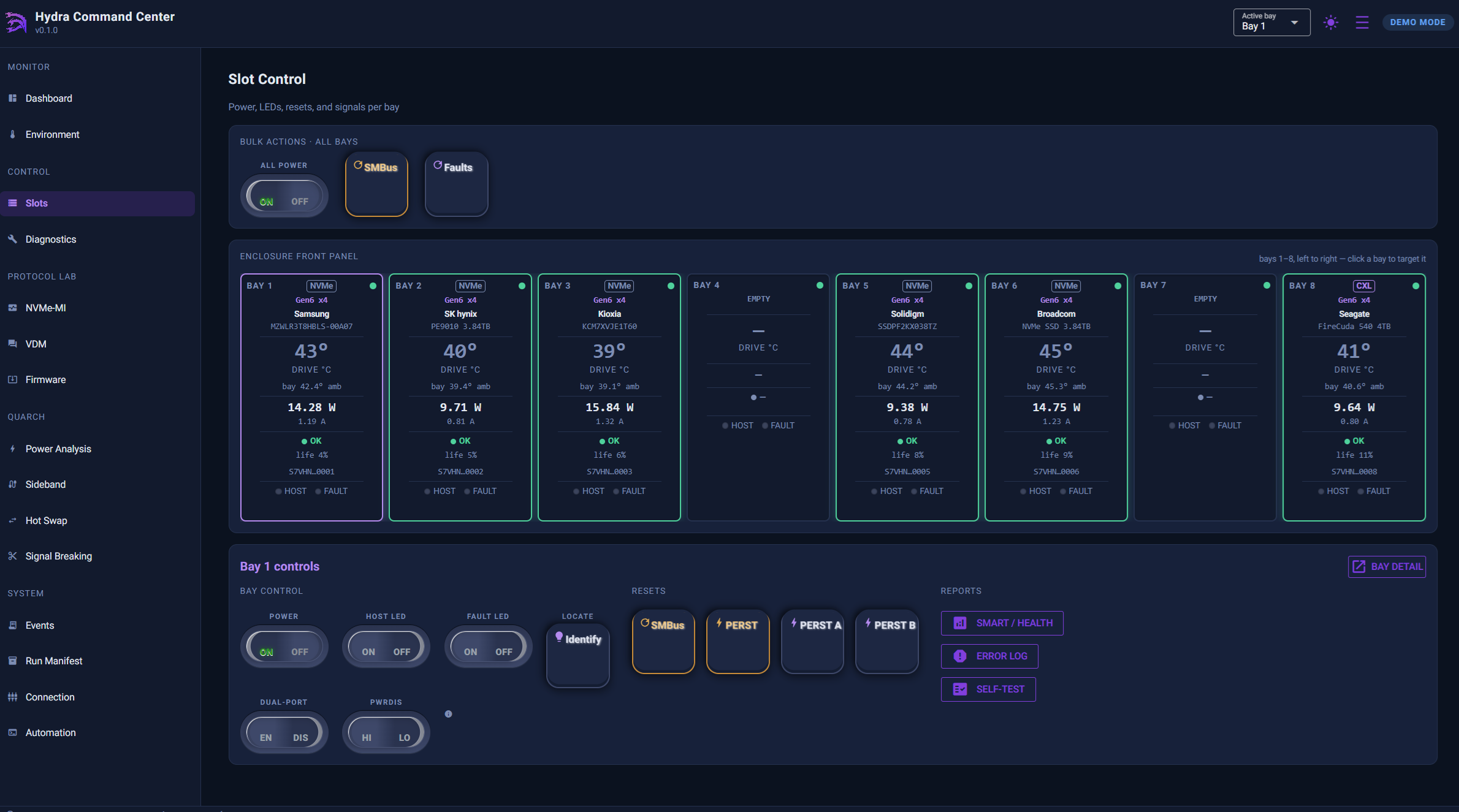
A live front panel for all eight bays. Click a bay to make it the Active Bay; double-click for full Bay Detail. Every control has a tooltip, and there are light and dark themes for the bench.
REST API
Every UI action is a documented JSON route. Your own instance serves Swagger UI, ReDoc and the OpenAPI schema. Use it from Python, LabVIEW, Jenkins or any other language.
hydractl CLI
Mirrors the API one-to-one for bench scripts, CI jobs and regression sweeps. It ships with 23 ready-to-run example scripts that share one exit-code contract: 0 passed, 1 failed, 2 setup error.
From the CLI
# No hardware yet? Explore with the built-in simulator
    $ hydractl serve --demo

    # The front panel as a table, then power-cycle bay 3
    $ hydractl slot list
    $ hydractl slot power 3 off -y

    # Run a preset and wait for the verdict (exit 0 = passed)
    $ hydractl workload run pcie-gen6-baseline --slot 1 --wait
From the REST API
# Identify a CXL Type-3 device in bay 8, then read its health
    POST /api/v1/bays/8/cxl/identify
    POST /api/v1/bays/8/cxl/health

    {"success": true, "data": {
      "vendor_id": "0x8086", "fw_slot": 1,
      "life_used_pct": 4, "media_status": "normal",
      "events_pending": 0 }}
Every bay, live: power, protocol and environment
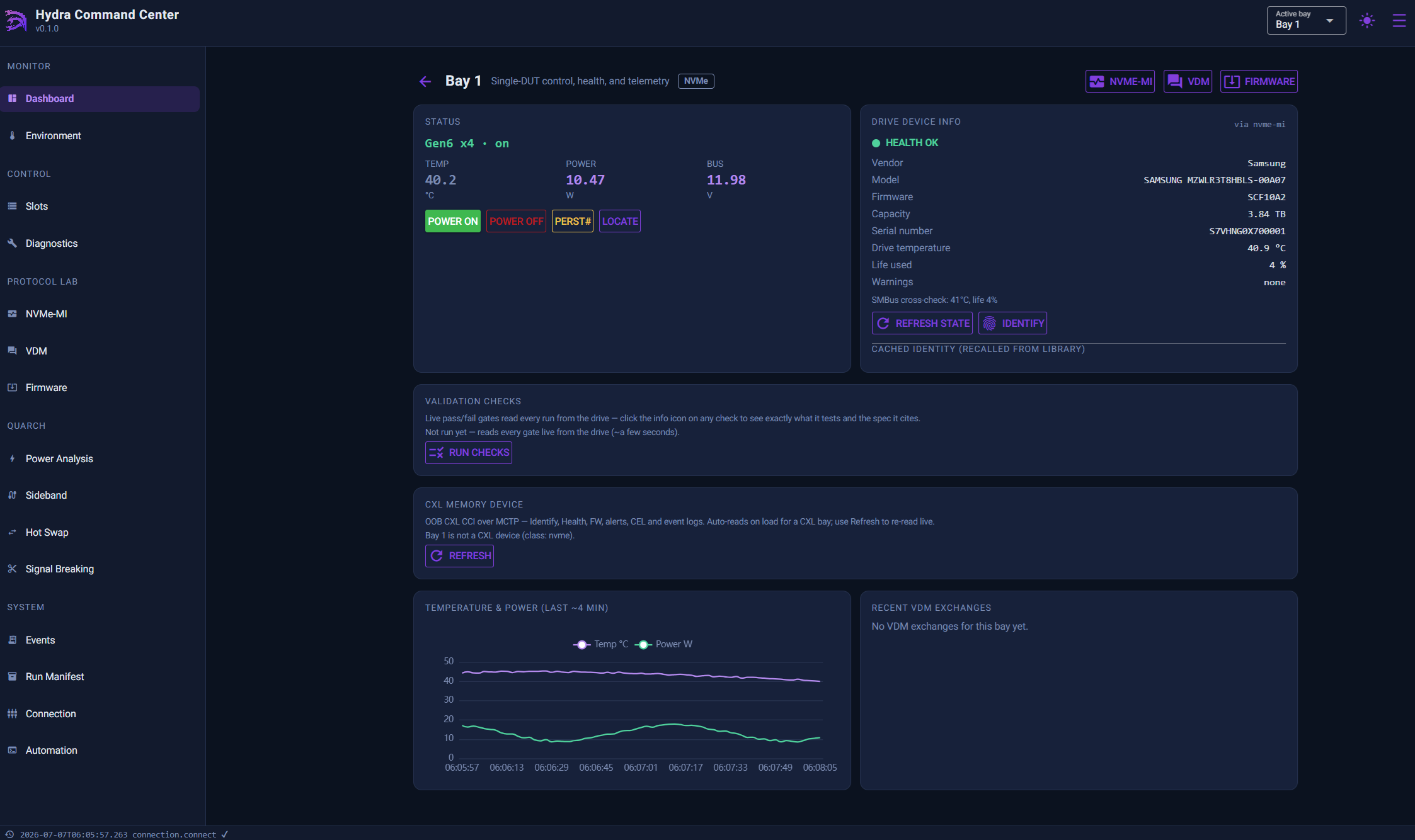
A background poller refreshes each bay's identity, telemetry and health, so the dashboard and the API both read from the same current snapshot. Every console works whether or not a host is even attached.
Slot Control
Per-bay power, LEDs, PERST# and SMBus resets, dual-port and PWRDIS control, all confirm-gated. One-click Recover brings back a bay stuck off the bus, and drives behind a U.3 interposer are detected automatically.
Protocol consoles
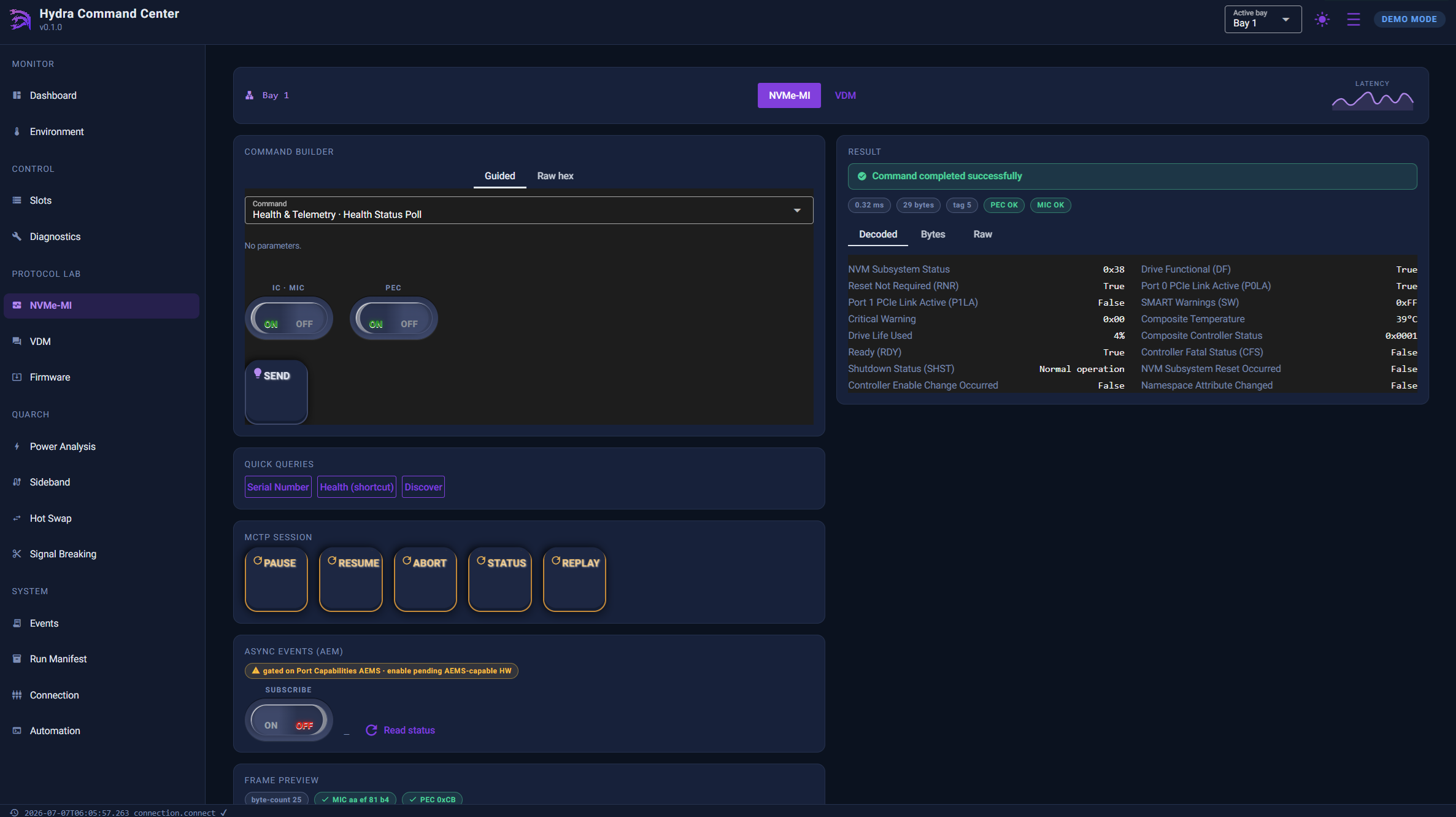
NVMe-MI, VDM, CXL CCI and I3C consoles, with typed presets, a raw-opcode escape hatch, a live annotated frame preview and full history and replay. Every request/response pair is logged.
Environment & telemetry
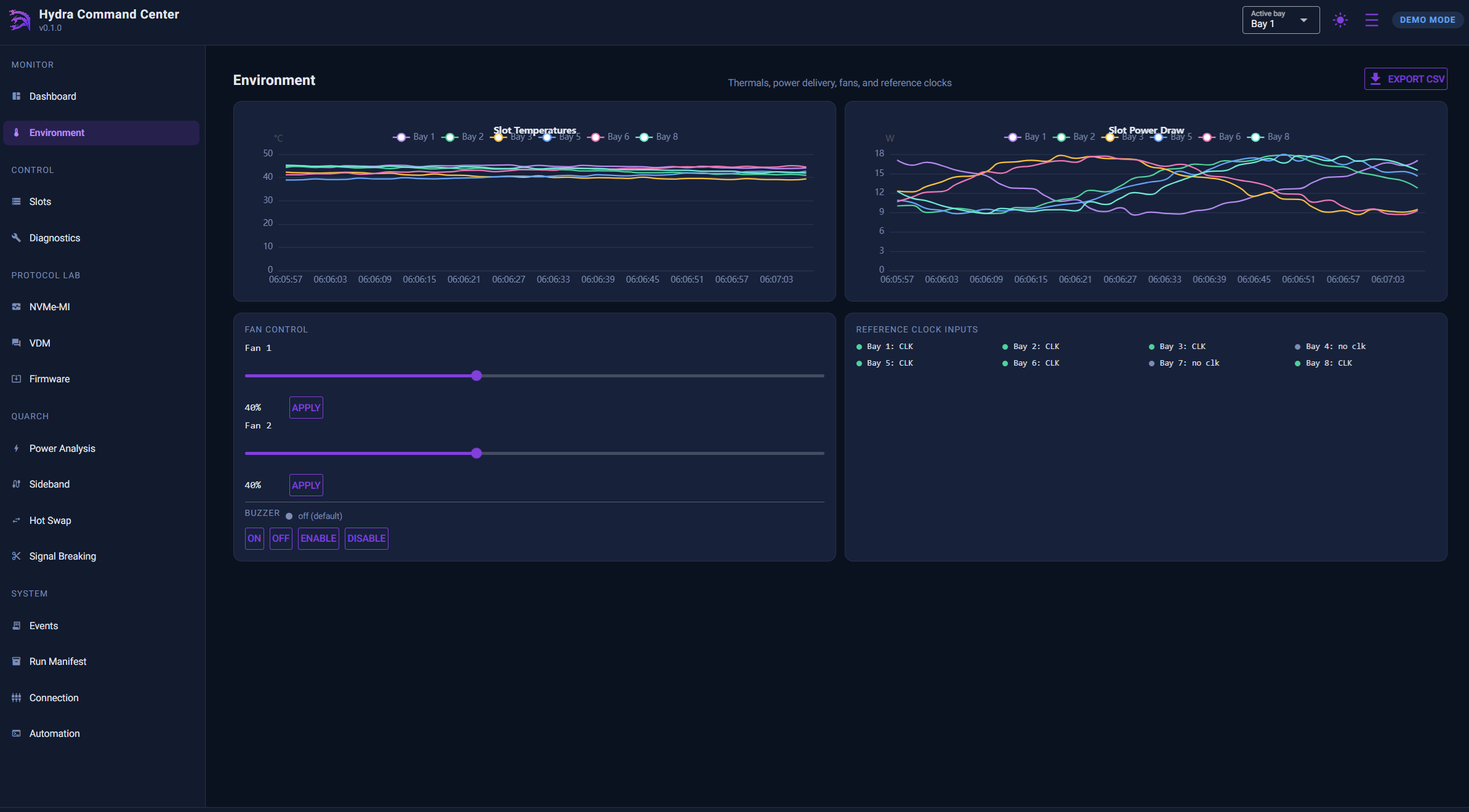
Enclosure thermal, fan, PSU-rail and clock telemetry alongside per-bay ambient and drive-reported temperature, all saved for later review.
Diagnostics
Built-in MCU self-test, raw I2C/SMBus access to any sideband device, an I3C CCC engine for MIPI I3C Basic v1.1.1, Device Self-Test launch and poll, and error-log pulls for RMA triage.
Safety-gated firmware update
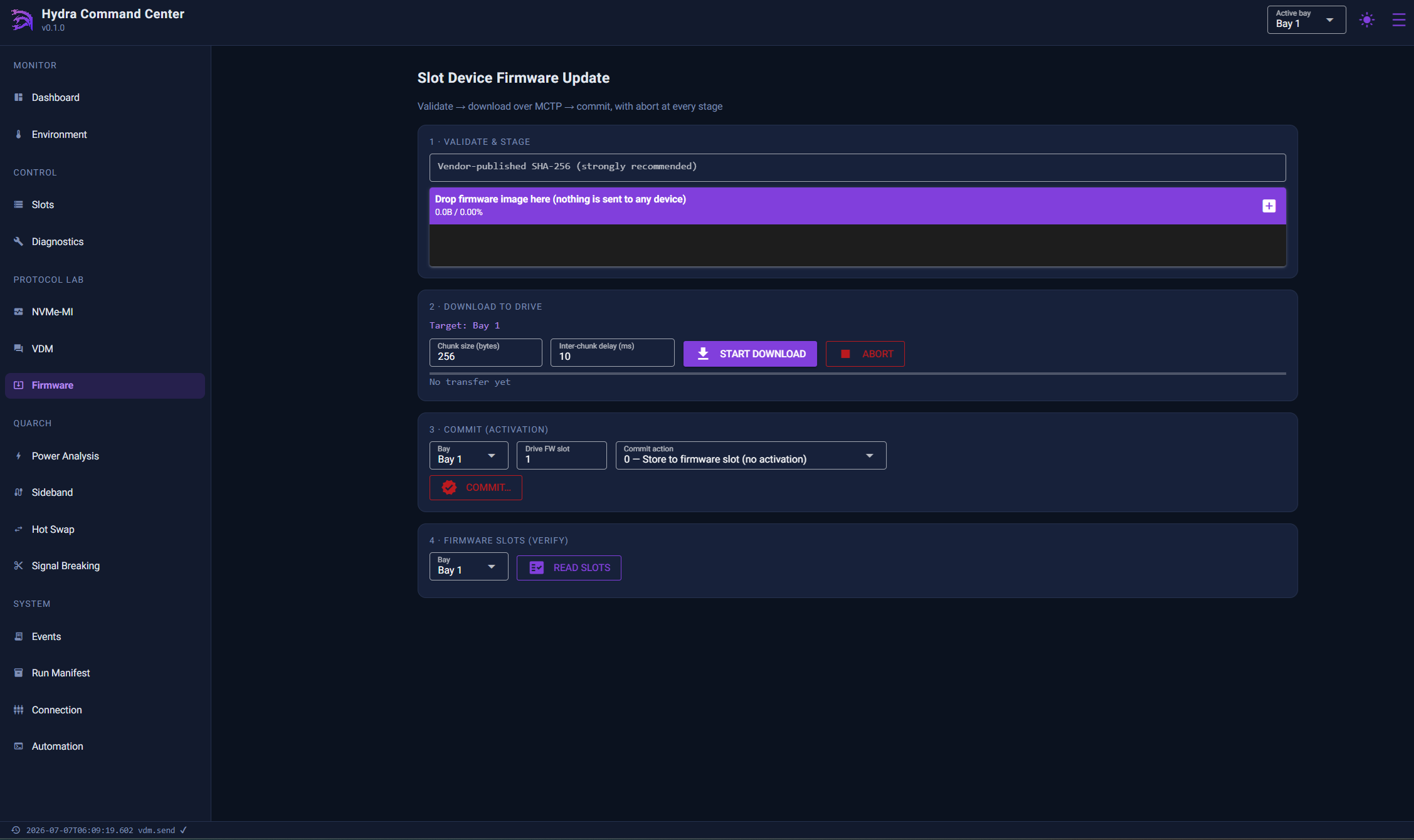
Out-of-band drive firmware moves through a validate, stage and commit state machine. The new revision is re-read after commit to confirm it took.
Audit trail & run manifest
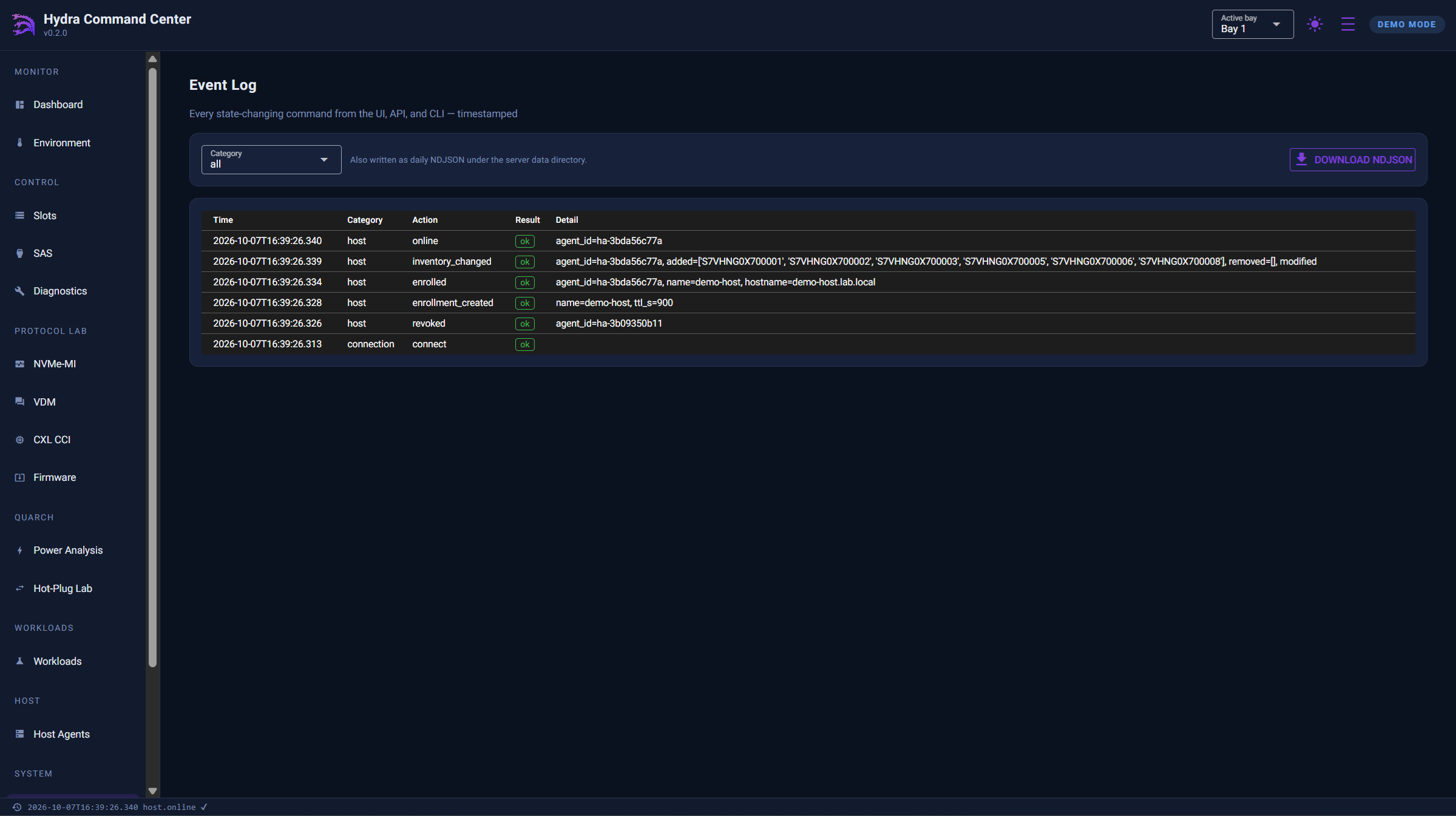
Every command from the UI, API or CLI is recorded with millisecond timestamps. A one-click run manifest captures exactly which firmware and serial numbers a test campaign ran on.
Fail-closed validation gates
Every gate reads live hardware against its governing spec and reports PASS, FAIL or INCOMPLETE. Nothing is silently skipped: a bay that can't be read is never a green pass.
- Seven gates per NVMe bay, chosen per run, so a smoke test and a full qualification don't need the same set.
- CXL Type-3 bays are detected automatically and run their own three-gate set: health, events and traceability.
- Host agreement gates join the rollup when a Host Agent can see the drive.
- A serial-keyed device library for FA/RMA traceability. It stores identity only, never health, and never merges records silently.
| Gate | What it checks |
|---|---|
| Link | Negotiated PCIe generation and width vs. the drive's max or an expected Gen/width |
| Thermal | Current hottest temperature vs. limit |
| Reliability | Critical-warning flags, media errors, spare vs. threshold |
| Endurance | Percentage of rated life used vs. limit |
| Firmware | Active firmware revision vs. expected |
| Traceability | Resolved model and serial vs. the expected DUT manifest |
| Self-Test | Latest Device Self-Test result |
Hardware fault injection, built in
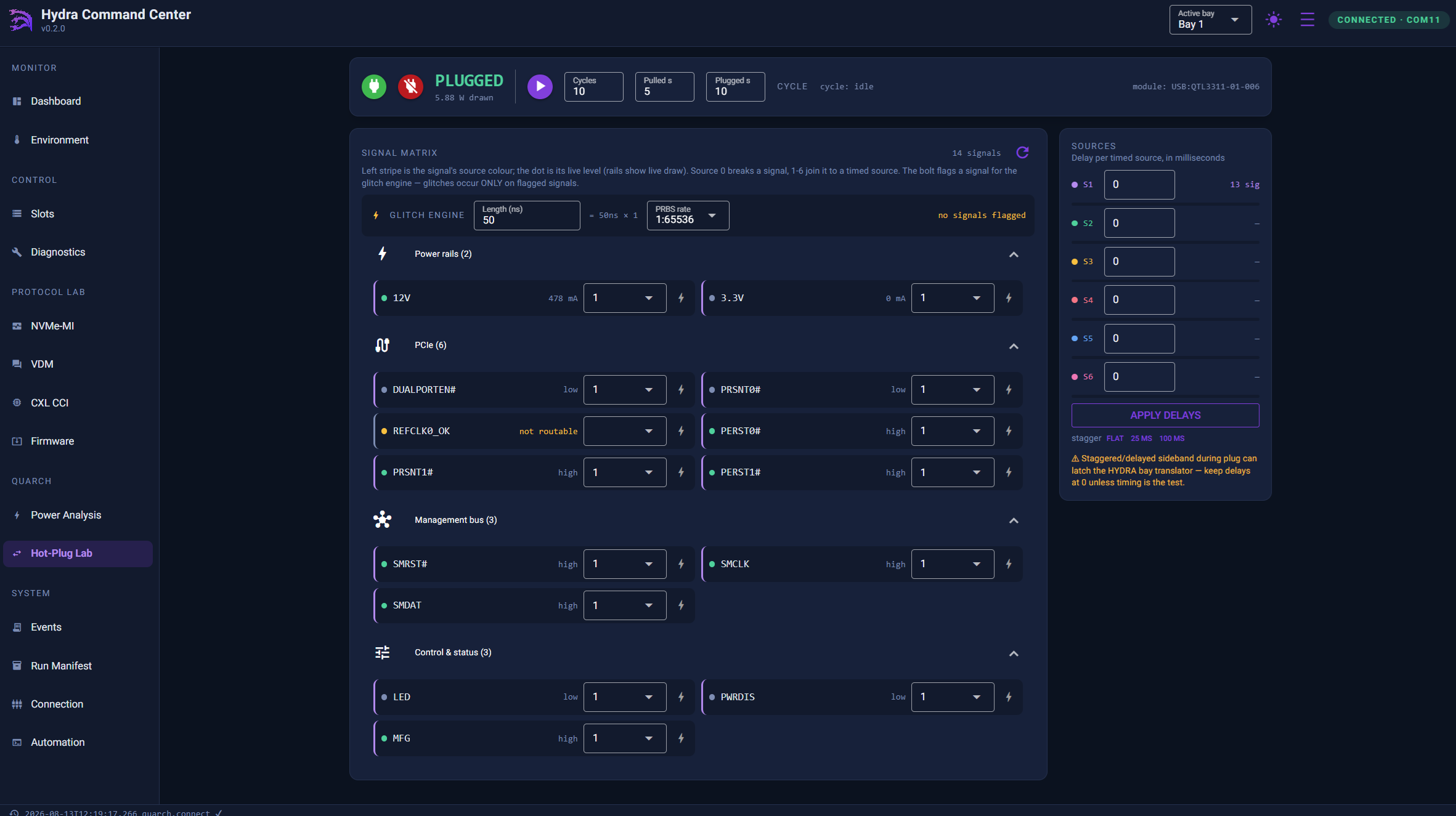
With an optional Quarch drive-control or breaker module attached, Command Center runs hot-plug and power-fault sequences under the same confirm-gated, scriptable rules as everything else. The results feed straight into the Workloads engine.
- Hot-Plug Lab. Signal routing, targeted signal breaking and timed hot-swap cycling in one signal matrix.
- Hardware glitch engine. Nanosecond-class, module-timed electrical faults. These are real events, not simulated ones.
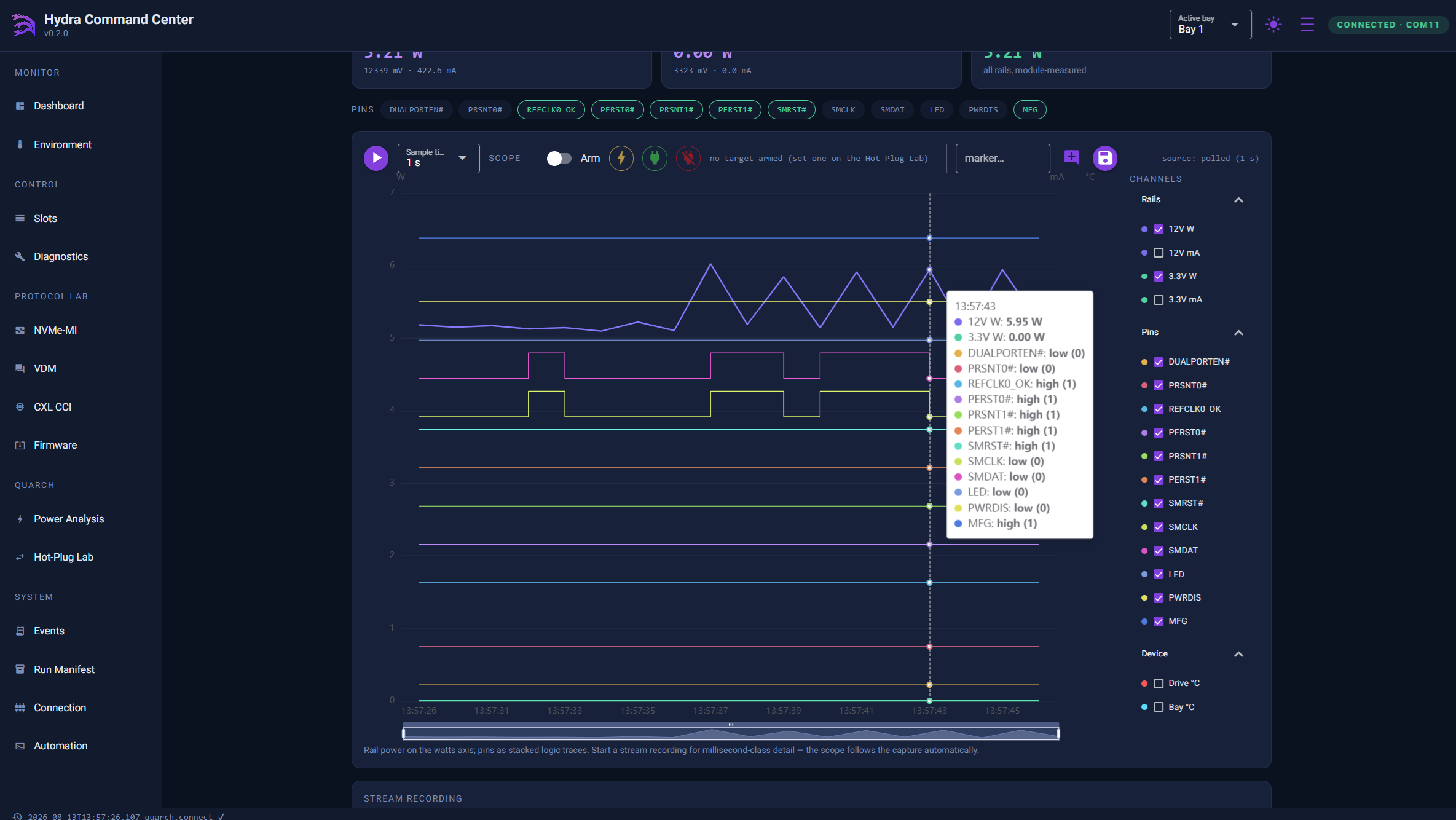
- Power Analysis. Per-rail and sideband scope capture synchronized to the fault sequence, so a glitch and its electrical signature land in the same trace.
Works on Windows with Quarch's USB driver; Linux needs a one-time udev rule.
Inside Hydra Command Center
Every page of the application, from a single bay to the full audit trail.
Feature maturity in this release
We state the maturity of every subsystem plainly, so your validation team knows what's production-ready today and what's still a preview.
| Subsystem | Status | Notes |
|---|---|---|
| Enclosure control | Fully supported | Power, LEDs, resets, PWRDIS, Recover |
| NVMe-MI drive management | Fully supported | Health, temperature, spare, SMART, Identify |
| Telemetry, event log, run manifest | Fully supported | |
| Host Agent (in-band) & agreement gates | Fully supported | Linux and Windows hosts |
| Workloads engine | Fully supported | Presets not yet run end to end on hardware carry a BENCH marker |
| Quarch fault injection | Supported | Linux requires a one-time udev rule |
| CXL OOB management (CCI) | Technology Preview | Type-3 mailbox: identify, health, firmware info, event log |
| I3C discovery | Technology Preview | Per-bay dynamic address assignment and identity decode |
| Slot-device firmware update | Use with caution | A commit resets the drive; prove images on an expendable drive first |
| SAS page (U.3 interposer) | Experimental | |
| VDM Template Studio | Demonstration |
Installed and running in minutes
Each install kit handles Python, the background service, TLS, the API token and the firewall for you, and finishes by printing the browser link to open.
Linux Recommended
Ubuntu 22.04+, Debian 12+, RHEL / Rocky / Alma 9+ with systemd.
- Download and unzip the Linux install kit on the machine cabled to the enclosure's USB management port.
- Run the installer. Add
--with-agentif the drives' PCIe links reach this same machine.$ sudo sh install-hcc.sh - Open the printed link, e.g.
https://192.168.1.20:8600/?token=…, and accept the self-signed certificate once.
Windows 10 / 11
x64. The installer adds Python 3.12 if no Python 3.10+ is present.
- Download and unzip the Windows install kit on the PC cabled to the enclosure's USB management port.
- Double-click
install-hcc.cmdand approve the administrator prompt. It asks whether the drives are connected to this PC and, if so, installs the Host Agent too. - Open the printed link. Command Center runs in the background and starts with Windows.
Before you start: Command Center needs HYDRA MCU firmware 0.9.0 or newer. Units shipped with firmware 0.0.8 must be updated first; the image and its SHA-256 checksum are in the downloads below. To check your version, look at the Dashboard System card or run hydractl system version. Command Center is not published on PyPI, so always install the file you downloaded from this page.
Download Hydra Command Center v1.0
Command Center is free of charge. It is proprietary software, licensed for use within your organization, and you can script against its API and CLI freely.
Software
Linux install kit
One-command install as a systemd service, with TLS and an API token. Optional Host Agent.
serialcables-hcc-1.0.0rc1-linux.zip DownloadWindows install kit
Double-click install for Windows 10/11 x64. Runs in the background and starts with Windows.
serialcables-hcc-1.0.0rc1-windows.zip DownloadPython wheel
For any OS with Python 3.10+. Install with pip and run the server in the foreground.
serialcables_hcc-1.0.0rc1-py3-none-any.whl DownloadHYDRA MCU firmware 0.9.0
Required for Command Center's out-of-band features. Includes a SHA-256 checksum.
REPLACE: firmware file name DownloadExample script library
23 ready-to-run scripts, from smoke tests and validation gates to hot-plug endurance and thermal soak.
examples.zip DownloadDocumentation
Technical Brief
Architecture, gates, Host Agent security model and preset catalogue, written for validation engineers.
Download PDFAutomation Test Script Library
What each example script does, its options and its exit codes.
Download PDFPut Command Center on your PCIe 6.0 bench
One control plane for enclosure, protocol, in-band correlation and pass/fail qualification across all eight bays, from day one of bring-up.
- Automation-first
- Fail-closed gating
- No host driver
- Serial-keyed traceability
- 23 example scripts